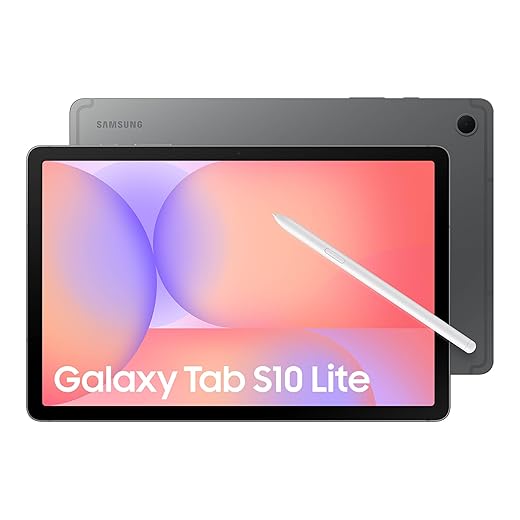


Best Budget Tablets for Students in 2026
Between lecture notes, PDF textbooks, group chats, and streaming a quick study break, a laptop can feel like overkill—and your phone screen can feel like punishment. That’s where the best budget tablets for students in 2026 come in: big enough to work, light enough to carry, and priced so you’re not eating instant noodles until finals. Trevor and I were discussing what actually matters for school (battery, pen support, keyboard options, and software that won’t fight you), and we put together the picks we’d recommend to our own friends.
Disclaimer: As an Amazon Associate, TrevMart earns from qualifying purchases at no extra cost to you.
What “Budget” Means for Students in 2026
For this list, “budget” means you can realistically buy it (or ask for it) without taking on regret. Most options land between $120 and $350, depending on sales and whether you add a keyboard or stylus.
The goal isn’t the cheapest tablet—it’s the best value for studying. A good student tablet should comfortably last a school day, load PDFs fast, and handle apps like Google Docs, Microsoft 365, Canvas, and Zoom without stuttering.
Quick Buying Guide: What to Prioritize
1) Screen size and comfort
A 10–11 inch display is the sweet spot for backpacks. For heavy PDF reading and split-screen notes, 11 inches feels noticeably better than 8–9 inches.
2) Battery life you can trust
Look for tablets that reliably hit 8–12 hours of mixed use. Real-world battery matters more than marketing numbers.
3) Stylus and keyboard support
If you take handwritten notes, prioritize tablets with official pen support. If you write essays, check whether there’s a decent keyboard case—typing on glass gets old fast.
4) Software and updates
iPadOS is simple and consistent. Android varies by brand, so update support matters. Windows tablets can be great for full desktop apps, but only if the hardware is strong enough.
Best Budget Tablets for Students in 2026 (Top Picks)
1) Apple iPad (10th Gen) — Best overall for most students
If you want something that “just works” for school, the iPad (10th Gen) is the safe pick. It runs note apps smoothly, handles years of app support, and has great accessory options for typing and drawing.
- Display: 10.9-inch screen that’s comfy for reading and split-screen notes
- Performance: Fast enough for slide decks, PDFs, and multitasking without lag
- Battery: Easily lasts a school day for most students
- Best for: Notetaking, studying, and everyday school apps
Pros
- Excellent app ecosystem for students (GoodNotes-style apps, Google/Microsoft suites)
- Strong resale value if you upgrade later
- Reliable performance over time
Cons
- Accessories can add up (keyboard/pen)
- Not the cheapest option on this list
2) Samsung Galaxy Tab A9+ — Best budget Android tablet for school
The Galaxy Tab A9+ hits a great balance: large screen, smooth everyday performance, and a student-friendly price—especially when it’s on sale. It’s a solid pick for Google Classroom users or anyone already living in the Android ecosystem.
- Display: 11-inch class-friendly screen for slides, ebooks, and split view
- Performance: Responsive for multitasking so you can run Docs + browser without frustration
- Audio: Loud speakers that help for lecture videos
- Best for: Android users who want maximum value
Pros
- Big display for the money
- Great for video lectures and reading
- Often discounted heavily
Cons
- Pen support depends on model/accessories—double-check before buying for handwriting
- Keyboard options vary by retailer
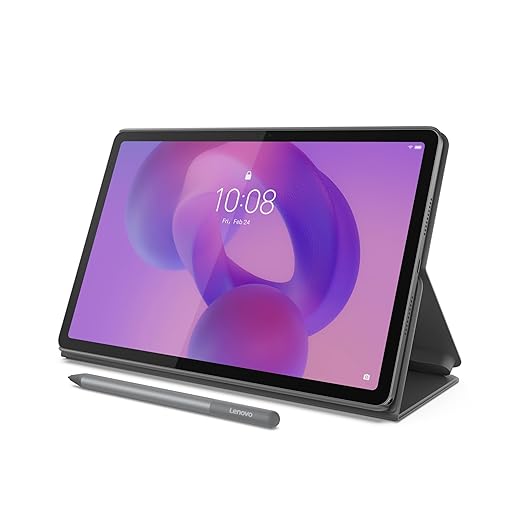
3) Lenovo Tab P12 — Best for big-screen note review and multitasking
If you learn best on a larger canvas, the Lenovo Tab P12 gives you more room for split-screen studying. That makes it easier to keep a PDF open while you outline notes or work through homework steps.
- Display: 12.7-inch screen so you can read textbook PDFs without constant zooming
- Multitasking: More comfortable split-screen workflow than 10-inch tablets
- Best for: Heavy reading, multitasking, and at-home study
Pros
- Big screen improves productivity
- Great “desk tablet” for dorms and kitchens
- Good value when bundled with accessories
Cons
- Less convenient in small backpacks
- Not as pocketable as 10–11 inch options
4) Apple iPad mini (6th Gen) — Best for commuters and small bags
If you’re constantly moving between classes or you study on the bus, the iPad mini is the most comfortable “always-with-you” option. It’s small, fast, and surprisingly capable for note reviewing and quick edits.
- Display: 8.3-inch screen that fits almost anywhere
- Portability: Easy one-hand hold for reading and flashcards
- Best for: Commuters, tight backpacks, and quick study sessions
Pros
- Ultra portable for daily carry
- Great performance for size
- Excellent for ebooks, notes review, and Anki-style studying
Cons
- Small screen isn’t ideal for split-screen writing
- Usually pricier than Android tablets of similar size
5) Amazon Fire Max 11 — Best ultra-budget tablet for reading and streaming
Need the lowest cost way to read PDFs, watch lecture videos, and browse the web? The Fire Max 11 is a solid “basic school tablet” if your workflow lives in the browser and you don’t need advanced app support.
- Display: 11-inch screen that’s comfortable for ebooks and video
- Battery: Long-lasting enough for a day of casual use
- Best for: Reading, streaming, light homework, and tight budgets
Pros
- Outstanding price during Amazon sales
- Great for ebooks and lecture playback
- Simple setup for younger students
Cons
- App selection and Google services can be limiting
- Not ideal for students who rely on specific Android apps
Mid-Article Advice: Avoid the “Hidden Costs” Trap
Martin’s Take: Before you buy, price the tablet the way you’ll actually use it. If you plan to type papers, add a keyboard cost. If you plan to handwrite notes, add a pen cost. A “cheap” tablet can end up costing more than a slightly pricier model that includes better accessories or has reliable third-party options.
Which Tablet Should You Choose?
Here’s the simplest way to decide:
- Want the best all-around student experience: iPad (10th Gen)
- Want Android value with a big screen: Galaxy Tab A9+
- Want the biggest screen for PDFs and split-screen: Lenovo Tab P12
- Need maximum portability: iPad mini (6th Gen)
- Need the lowest price for basics: Fire Max 11
Final Verdict
In 2026, you don’t have to overspend to get a tablet that can carry your school day. The best budget tablets for students come down to matching your study style: iPad for consistency, Samsung/Lenovo for Android value and screen space, and Fire tablets for simple, low-cost use.
What kind of student workflow do you have—handwritten notes, typed papers, or mostly reading and videos—and which tablet are you leaning toward?