New Year, New Gear: 5 Tech Habits for a Productive 2026
January always hits with good intentions—and a familiar problem: your day gets swallowed by notifications, messy files, and devices that don’t play nice together. Trevor and I were discussing what actually sticks, and we landed on one theme: tech habits for a productive 2026 aren’t about buying everything new. They’re about building repeatable systems that make your tech work for you.
Below are five habits we’re betting on for 2026. Each one is simple, measurable, and easy to maintain even when life gets busy.
Disclaimer: As an Amazon Associate, TrevMart earns from qualifying purchases at no extra cost to you.
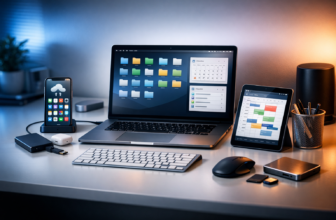
1) Start Your Day with a “One Screen” Focus Setup
If you open your phone first thing, you’re letting everyone else set your agenda. A “one screen” morning flips that: you pick a single device and a single purpose for the first 20–30 minutes.
What to do (keep it frictionless)
- Choose one screen: laptop, tablet, or e-ink reader—just not all three.
- Load one tool: a calendar + task list, or a writing app, or a dashboard.
- Turn off badges: no red dots, no dopamine hooks.
Gear that helps (without overcomplicating it)
You don’t need a full desk overhaul. You need a setup that reduces switching and keeps you comfortable.
- Monitor or laptop stand: helps posture so you can focus longer without fatigue.
- External keyboard/mouse: faster input so you finish tasks instead of nibbling at them.
- Single charging spot: drops “where’s my cable?” moments to zero.
2) Use Notification Rules Like a Bouncer (Not a Suggestion)
Most people “turn off some notifications” and hope for the best. A better habit is building rules: what gets through, when, and why. In 2026, distraction isn’t a willpower problem—it’s a settings problem.
Set three tiers of alerts
- Tier 1 (Immediate): calls/texts from favorites, calendar alarms, security alerts.
- Tier 2 (Batch): email, Slack/Teams, social DMs—checked 2–4 times a day.
- Tier 3 (Never): news, shopping, “we miss you” apps. These can live in your notification center—or nowhere.
Pros & Cons of strict notification habits
- Pros: fewer context switches, less stress, deeper work sessions, better sleep.
- Cons: you may miss non-urgent updates (which is kind of the point).
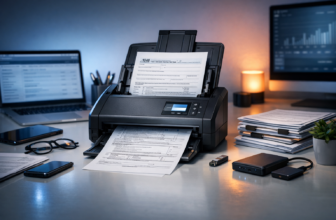
3) Build a Two-Layer Backup: Cloud + Local (Automatic)
Nothing kills momentum like losing files, photos, or a key project folder. The productivity win isn’t “backing up sometimes.” It’s setting backups once and never thinking about them again.
The simple 2-layer strategy
- Cloud backup: protects you from lost devices and lets you retrieve files anywhere.
- Local backup: protects you from account lockouts, sync mistakes, and surprise cloud issues.
What to look for in a external SSD (practical specs)
- 1–2TB capacity so you can back up your system and still have room for photos and projects.
- Fast transfer speeds so backups finish quickly instead of running overnight.
- Durable build so it survives commuting, backpacks, and desk drops.
A good weekly habit: plug in the drive during a meeting or while you make coffee on Friday. If it’s easy, it’ll happen.
Martin’s Take
If you only do one thing this month: turn on automatic backups for your phone photos and your laptop documents folder. The most painful losses are the everyday files you didn’t think were important until they were gone.
4) Tame Tabs and Tasks with a “Capture → Clarify → Commit” Workflow
Most digital clutter is unmade decisions. You keep 37 tabs open because you don’t know what to do with them. A lightweight system beats a perfect system.
Step 1: Capture (don’t organize yet)
Use one inbox: a notes app, a task manager, or even a single text file. The rule is simple: if it’s on your mind, it goes in the inbox.
Step 2: Clarify (daily, 5 minutes)
- Is it actionable? If not, delete or archive it.
- If it takes under 2 minutes, do it now.
- If it matters, assign a next step (not a vague goal).
Step 3: Commit (weekly, 15 minutes)
Pick your “Top 3” outcomes for the week. Then block time for them on your calendar. This is where productivity becomes real.
Quick win: a tab reset ritual
- Bookmark anything worth keeping.
- Send “read later” items to one list.
- Close everything else with zero guilt.
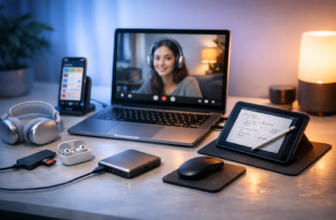
5) Upgrade Your Meetings: Better Audio, Better Notes, Better Follow-Through
Meetings aren’t going away in 2026, but wasted meetings can. The habit here is improving input (audio), capture (notes), and output (next steps). Even small upgrades pay off fast.
Audio: treat it like a productivity tool
If people can’t hear you clearly, you repeat yourself, talk longer, and miss details. A solid USB mic or quality headset can cut friction instantly.
- Clear voice pickup so you sound confident without shouting.
- Noise reduction so keyboard clacks and roommates don’t steal the call.
- Comfort so you’re not fidgeting 20 minutes in.
Notes: use a simple template
Keep it consistent so you can scan later.
- Decision: What did we decide?
- Next steps: Who does what, by when?
- Risks: What could block this?
Follow-through: one action before you leave the call
Add the next step to your calendar or task list immediately. If you wait, it turns into “sometime” and quietly dies.
Putting It All Together: Your 2026 Productivity Stack (Without the Chaos)
These five habits work because they’re repeatable. You’re not relying on motivation. You’re building guardrails: fewer distractions, safer files, clearer priorities, and smoother communication.
- One screen mornings to start with intention.
- Notification tiers to control noise.
- Cloud + local backups to protect your momentum.
- Capture → Clarify → Commit to reduce mental clutter.
- Meeting upgrades to save time and avoid rework.
Final verdict: The best “new gear” for 2026 is a better relationship with the devices you already use. Add one habit this week, lock it in, then move to the next.
What’s the one habit (or piece of gear) you’re committing to for 2026—and what’s currently slowing you down the most?