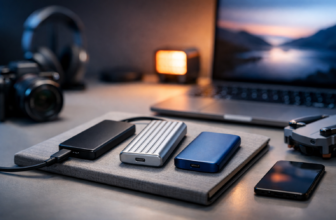
The Best External Hard Drives for Video Editors
Video editing is the fun part—until your drive chokes on a 4K timeline, your cache balloons, and exports take forever. If you’ve ever watched dropped frames creep in right when you hit creative momentum, you already know storage can make or break your workflow. Trevor and I were discussing the best external hard drives for video editors after a weekend shoot, and we kept coming back to the same truth: speed matters, but reliability and the right connection matter just as much.
Disclaimer: As an Amazon Associate, TrevMart earns from qualifying purchases at no extra cost to you.
What video editors should look for in an external drive
Not every “fast” drive is actually fast for editing. A drive can benchmark well and still feel sluggish if the interface is wrong or if it overheats during long transfers.
SSD vs HDD: pick based on how you edit
SSDs are best for active projects because they deliver higher sustained speeds and quick scrubbing. HDDs are best for cheap, high-capacity storage like archives and backups.
- Go SSD if you edit 4K/6K, use multicam, or rely on fast proxies and cache.
- Go HDD if you need 8TB–22TB for completed projects and you can tolerate slower access.
- Best setup for most editors: SSD for active projects + HDD for backup/archive.
Connection types that actually matter
Use the fastest connection your computer supports. A great SSD plugged into a slow port will perform like a bargain drive.
- USB-C 10Gbps (USB 3.2 Gen 2): solid baseline for editing on an external SSD.
- USB-C 20Gbps (USB 3.2 Gen 2×2): faster, but not supported by every Mac or PC.
- Thunderbolt 3/4: top-tier for sustained performance and big media workflows.
Capacity planning (so you don’t buy twice)
Modern codecs fill drives fast. If you shoot ProRes, BRAW, or long-form 4K, plan bigger than you think.
- 1TB: short projects, proxy workflows, travel edits.
- 2TB: sweet spot for most freelance editors.
- 4TB+: larger productions, longer timelines, or keeping multiple jobs “hot.”
The best external drives for video editing (our top picks)
These picks cover the real-world needs we see most: fast scratch disks, rugged travel drives, and big-capacity storage for finished projects.
1) Samsung T7 Shield (Best portable SSD for most editors)
The T7 Shield is fast, compact, and more durable than a typical pocket SSD—great for editors who bounce between home, studio, and set. It’s a practical “just works” drive for Premiere Pro, Final Cut Pro, and DaVinci Resolve projects.
- Type: Portable SSD
- Best for: Active project files, proxy folders, general editing
- Why it matters: Quick scrubbing and shorter copy times so you spend less time waiting and more time cutting
Pros:
- Strong everyday performance over USB-C 10Gbps
- Rugged casing for travel and on-set use
- Great value in 1TB and 2TB sizes
Cons:
- Not a Thunderbolt drive, so it won’t hit the absolute top speeds
- Performance depends on your port and cable quality
2) SanDisk Professional G-Drive ArmorATD (Best rugged HDD for field backups)
If you’re dumping cards in the field and want something that can take a bit of abuse, a rugged HDD still makes sense. It’s not meant for smooth 4K timeline playback, but it’s excellent for secure offloads and extra copies of footage.
- Type: Rugged external HDD
- Best for: On-location backups, extra copy of camera originals
- Why it matters: More peace of mind when you’re far from your main workstation
Pros:
- Rugged build that’s travel-friendly
- More affordable per TB than SSDs
- Simple plug-and-play workflow
Cons:
- Too slow for demanding formats as an edit drive
- Mechanical drives don’t love drops while spinning
3) WD My Book (Best budget desktop drive for archiving finished projects)
When a project is done, you don’t want it eating space on your fastest drive. A desktop HDD like the WD My Book is a cost-effective way to store deliverables, project files, and camera originals without paying SSD prices.
- Type: Desktop external HDD
- Best for: Archives, long-term storage, backup targets
- Why it matters: Keeps expensive SSD space free for active edits
Pros:
- High capacities available for the money
- Great as a dedicated backup/archival drive
- No battery or charging fuss—just leave it on your desk
Cons:
- Not portable
- Not suitable as a primary edit drive for 4K+
4) Crucial X9 Pro / X10 Pro (Best value SSD for fast edits on a budget)
Crucial’s portable SSDs are popular for a reason: strong performance without premium pricing. They’re a smart pick if you want a fast external SSD for editing but don’t need Thunderbolt-level throughput.
- Type: Portable SSD
- Best for: Editing directly off an SSD, fast transfers, travel kits
- Why it matters: Smooth playback for many 4K workflows with less stutter than HDD-based setups
Pros:
- Excellent price-to-performance
- Compact and easy to mount to a laptop rig
- Great upgrade from older SATA-based externals
Cons:
- Still limited by USB rather than Thunderbolt
- Best results require a modern USB-C port
5) LaCie Rugged SSD Pro (Best Thunderbolt drive for demanding workflows)
If you regularly edit high-bitrate codecs, multicam 4K, or 6K/8K footage and you want to work directly off an external drive, a Thunderbolt SSD is the move. The Rugged SSD Pro is built for production life and delivers the sustained speed that keeps complex timelines responsive.
- Type: Thunderbolt portable SSD
- Best for: High-bitrate editing, heavy caches, fast on-set pipelines
- Why it matters: Less waiting, fewer dropped frames, faster exports when your bottleneck is storage
Pros:
- Thunderbolt performance for demanding edits
- Rugged design suited to travel and set work
- Excellent for running projects + cache on the same drive
Cons:
- Costs more than standard USB-C SSDs
- You’ll only benefit if your system supports Thunderbolt
TrevMart Tip (Martin’s Take): Use a “3-drive workflow” for fewer headaches
Martin’s rule for stable edits is simple: don’t ask one drive to do everything. Use Drive 1 for your OS/apps, Drive 2 (fast SSD) for active projects and cache, and Drive 3 (big HDD) for backups and archives.
This setup keeps your timeline snappy and makes it easier to recover if a drive fails or a project gets corrupted.
Quick recommendations by editing scenario
If you edit 4K on a laptop
- Pick: Samsung T7 Shield (2TB) or Crucial X9/X10 Pro
- Why: Fast enough for many 4K timelines, small enough to live in your bag
If you edit 6K/8K or high-bitrate footage
- Pick: LaCie Rugged SSD Pro (Thunderbolt)
- Why: Sustained performance helps keep playback smooth and transfers quick
If you need cheap, large storage for completed work
- Pick: WD My Book (8TB+)
- Why: Affordable per TB so you can keep projects organized and accessible
Final verdict
For most people, the best external hard drive for video editors is a portable SSD like the Samsung T7 Shield because it balances speed, durability, and price. If your workflow is heavier—think multicam, high-bitrate, or 6K/8K—step up to a Thunderbolt SSD like the LaCie Rugged SSD Pro. And if you’re building a library of finished projects, pair your fast edit drive with a big desktop HDD like the WD My Book.
What are you editing—4K YouTube videos, client commercials, or long-form documentaries—and are you trying to speed up timeline playback or just get more storage for backups?